Microsoft is changing how we log in. Is your business ready?
For years, passwords have been the primary method of securing business accounts. Unfortunately, they have also become one of the biggest targets for cybercriminals.
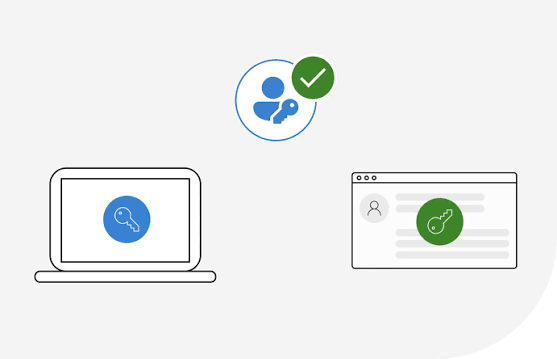
Phishing attacks, password reuse, credential theft and social engineering have made it increasingly easy for attackers to gain access to business systems. Even when Multi-Factor Authentication (MFA) is enabled, using SMS text messages as the second factor is no longer considered best practice.
Microsoft has recently announced a major shift in authentication security. Passkeys will become the default authentication experience in Microsoft Entra ID, and Microsoft-provided SMS and voice authentication will be retired on 1 February 2027.
Users currently using SMS or voice authentication will begin receiving prompts to register passkeys from 1 September 2026.
What is a Passkey?
A passkey replaces traditional passwords with a more secure authentication method tied to a device you already trust.
Rather than typing a password and entering a text message code, users authenticate using:
- Fingerprint recognition
- Face recognition
- Device PIN
- Hardware security keys
Because the passkey never leaves the user’s device, it is far more protected against phishing and credential theft than passwords and SMS codes.
Why Microsoft is Making the Change
Microsoft states that SMS and voice authentication are vulnerable to:
- Phishing attacks
- SIM-swap fraud
- Replay attacks
As cyber threats continue to evolve, Microsoft is moving customers towards phishing-resistant authentication methods by default. The goal is simple: stop attackers gaining access to business accounts even when they know the user’s password.
For organisations still relying on SMS authentication, the countdown has begun.
Why This Matters to Small Businesses
Many small businesses assume cybercriminals only target large organisations.
Unfortunately, the opposite is often true.
Most successful attacks we see against small businesses involve:
- Stolen Microsoft 365 credentials
- Fake login pages
- Business email compromise
- MFA attacks
- Weak or reused passwords
Once an attacker gains access to a mailbox, they can monitor communications, redirect payments, send convincing phishing emails and access company data.
A password on its own is no longer enough.
Where Microsoft 365 Business Premium Fits In
Many organisations still run Microsoft 365 Business Standard because it includes the applications they need. However, security is where Business Premium really stands apart.
Business Premium includes:
Conditional Access
Control who can sign in, from where, and under what conditions.
For example:
- Block logins from high-risk countries
- Require MFA when users sign in from new devices
- Restrict access from unmanaged devices (phones, tablets and computers that have not been approved by your organisation)
Microsoft Entra ID
Provides advanced identity management, including modern authentication methods such as passkeys and stronger access controls.
Microsoft Defender for Business
Protects against malware, ransomware and other attacks targeting devices and users.
Device Management with Intune
Ensure company devices comply with security policies before access is granted to Microsoft 365 services.
Data Protection
Features such as sensitivity labels, encryption and Data Loss Prevention help secure company information even if it leaves the organisation.
What Businesses Should Do Now
With Microsoft’s September 2026 and February 2027 deadlines approaching, now is an ideal time to review your authentication strategy.
We recommend:
- Identify users currently relying on SMS authentication.
- Enable Microsoft Authenticator or passkeys.
- Review your Microsoft 365 licensing.
- Ensure all users have MFA enabled.
- Consider upgrading to Microsoft 365 Business Premium if you’re still using Business Standard.
- Implement Conditional Access policies.
Businesses that move early can manage the transition on their own timetable rather than waiting until Microsoft begins enforcing registration prompts and blocking access for users who only have SMS authentication configured.
The Bottom Line
Microsoft’s latest announcement sends a message that the future of authentication is passwordless.
Passwords are increasingly easy to steal, and SMS-based MFA is fast becoming outdated.
Passkeys offer a simpler user experience whilst providing much stronger protection against modern cyber threats.
If you’re unsure whether your business is ready for Microsoft’s upcoming authentication changes, Fentons can help review your Microsoft 365 security, identify users still using SMS authentication and advise whether Business Premium could improve your security posture.
Security is no longer just about having a password. It’s about making sure the right person is logging in every time.